
-
·
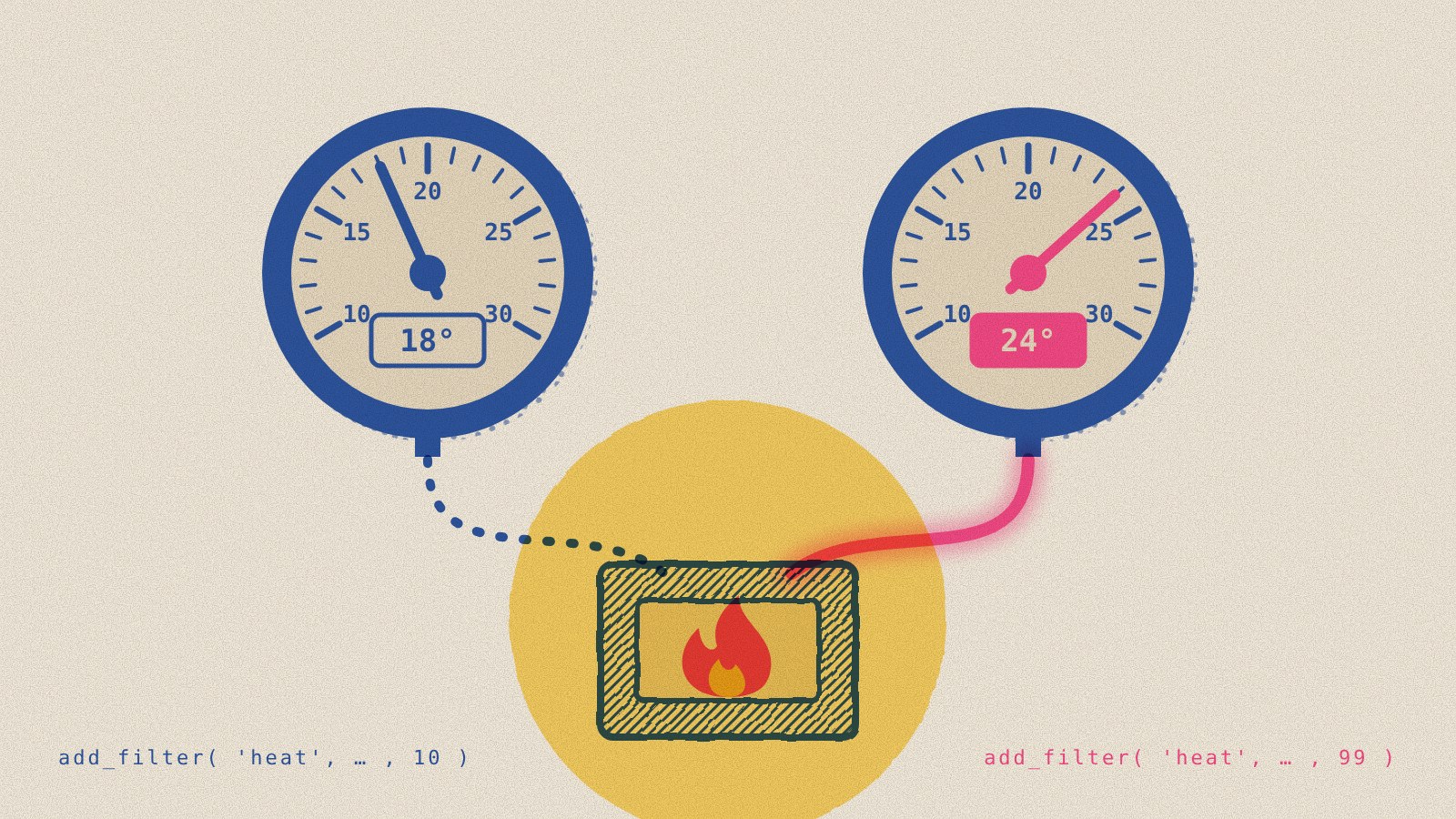
Two thermostats, one furnace
When another plugin overrides a WordPress setting, you probably won’t notice unless you’re looking for it. WordPress lets any number of plugins weigh in on the same setting, and the last one to run wins silently. If it changes your update policies, you probably want to know. That’s why Keel now reports what your update policy is, what’s blocking it, and which other plugins are working the same hooks.
-
·
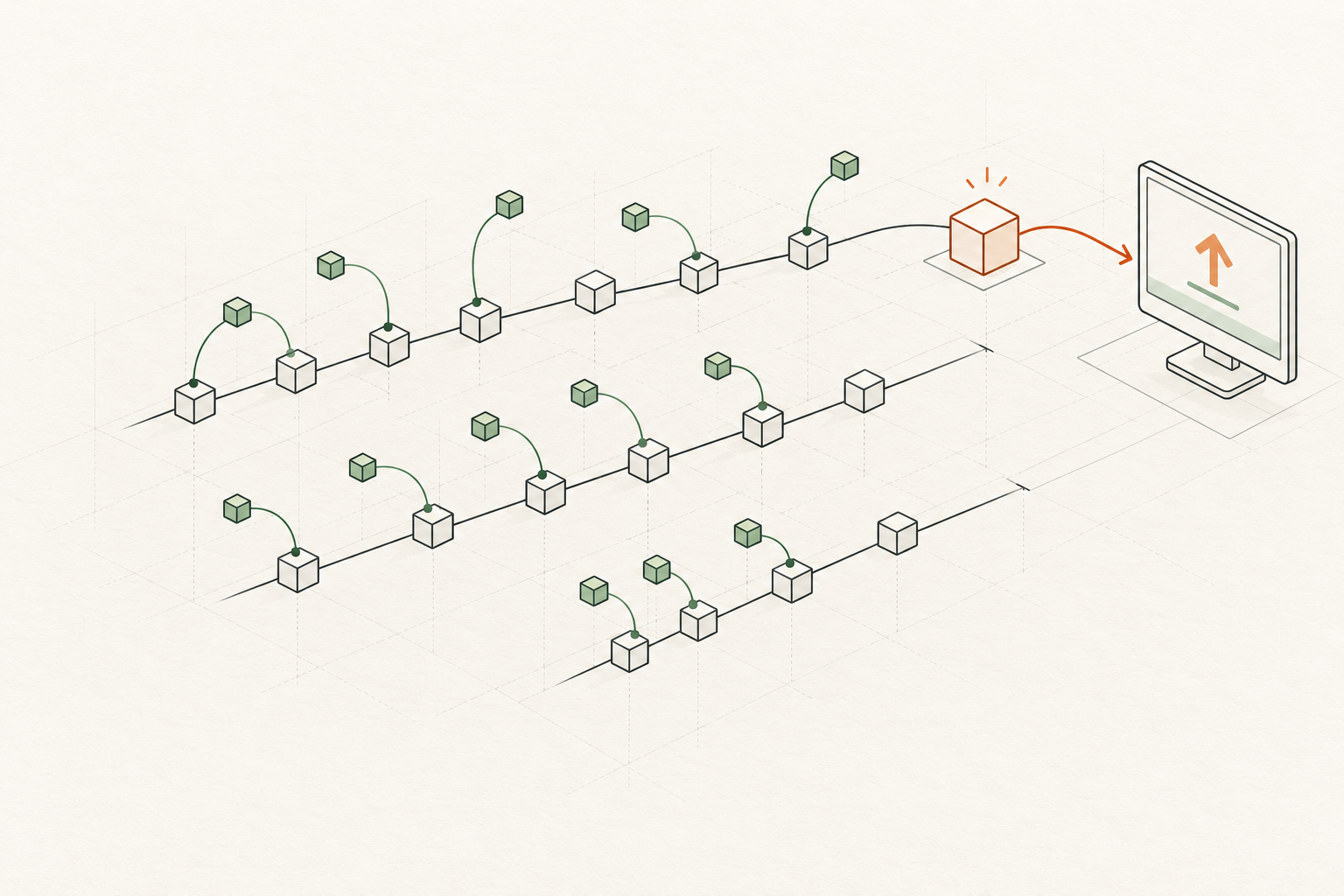
WordPress security backports: quiet by design
Since WordPress 3.7, security fixes for older branches have been delivered quietly and automatically. The historical record explains the approach — and why a manual patch option could help keep older sites secure and moving forward.
-

·
What I’d do differently next time: studying WordPress patch uptake
Reflecting on October’s WordPress patch uptake study, here’s what I’ll change if I do it again with a bigger sample: the timing, the sample (multiple bands), the backport-versus-upgrade counts, and the aggregated data that’s retained.
-
·
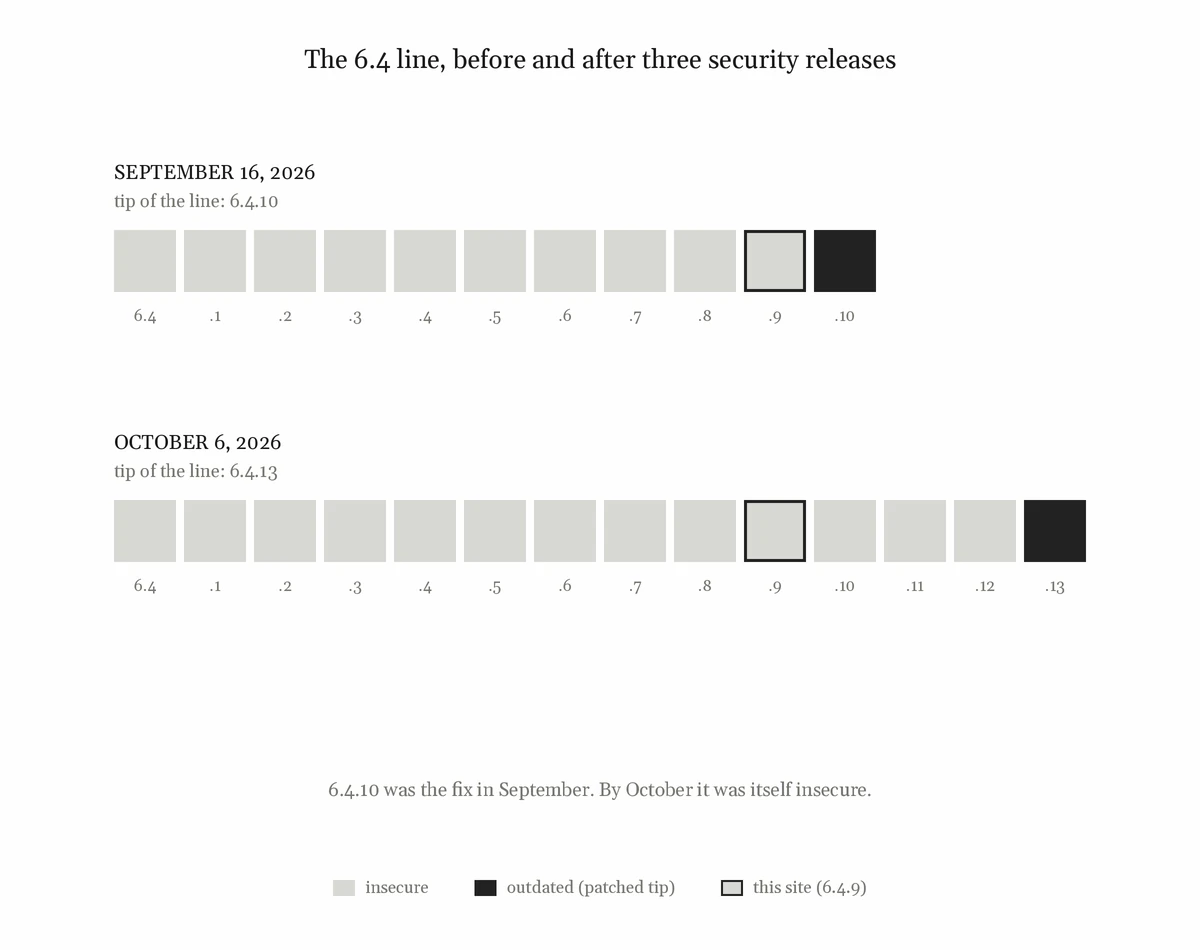
You can’t observe a security backport by waiting for one
Security backports arrive when they’re ready, and between releases there’s nothing to watch. So I built a small test-site plugin that changes one word in WordPress.org’s update offer and lets a real release install through WordPress’s own upgrader.
-
·
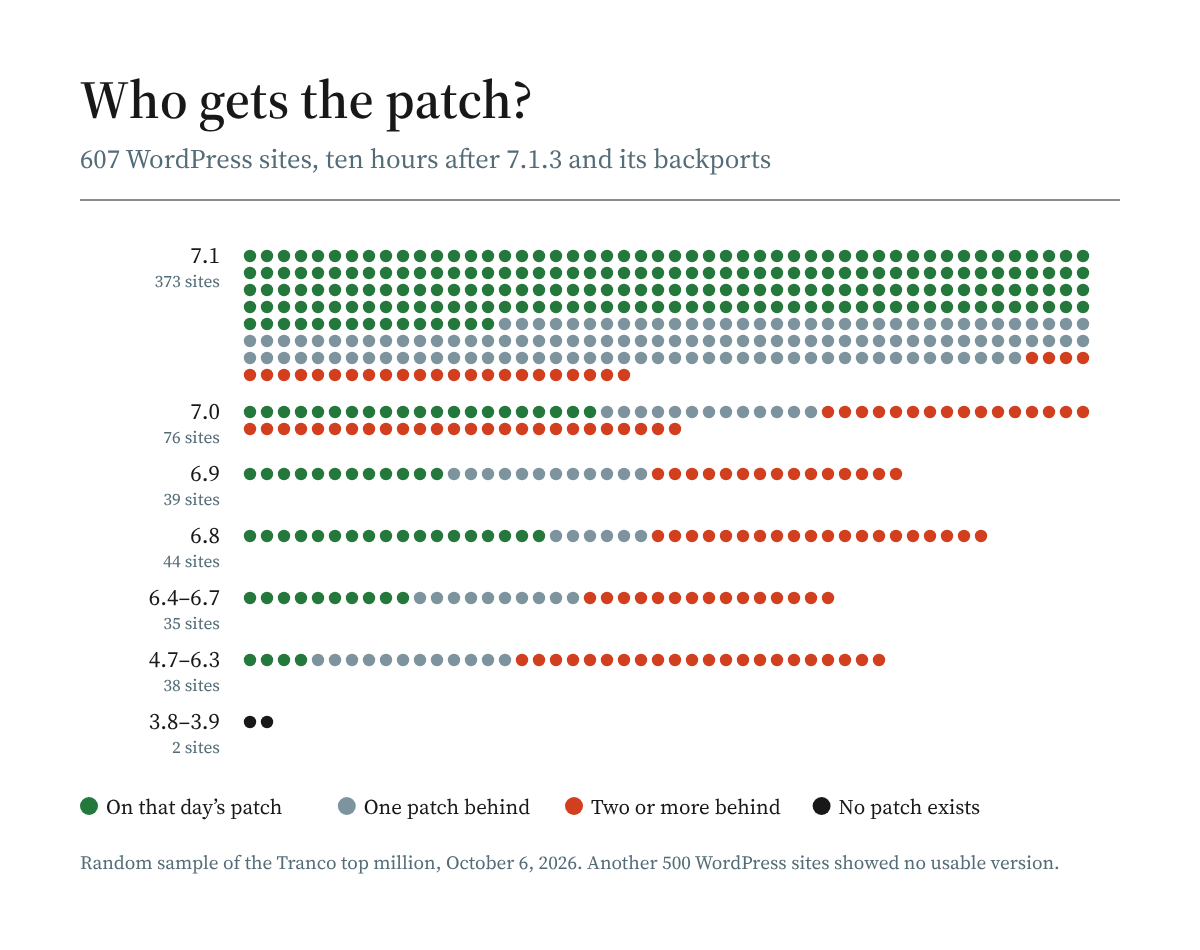
Who actually gets WordPress security backports?
Today, WordPress sends new security patches all the way back to the 4.7 branch, and they install by default unless blocked. Ten hours after 7.1.3 shipped on October 6, 93% of sampled 7.1 sites had the latest patch or the one before it. Nine days later, most of the sites furthest behind still hadn’t moved.
-
·
Keel Defaults
Keel surfaces 40 (soon 41) WordPress core defaults with their own controls and reports their real state in Site Health. Keel also tells you when your version of WordPress core has known vulnerabilities, and when it’s eligible for same-branch security updates as well as major version jumps.
-

·
Is your old WordPress site still getting security updates?
If you stay on an older WordPress release line, check how security backports reach it and whether your site’s settings allow automatic installation. Here’s how to check your update policy and find the nearest patched version.
-
·
Your WordPress site’s age decides whether it installs major updates
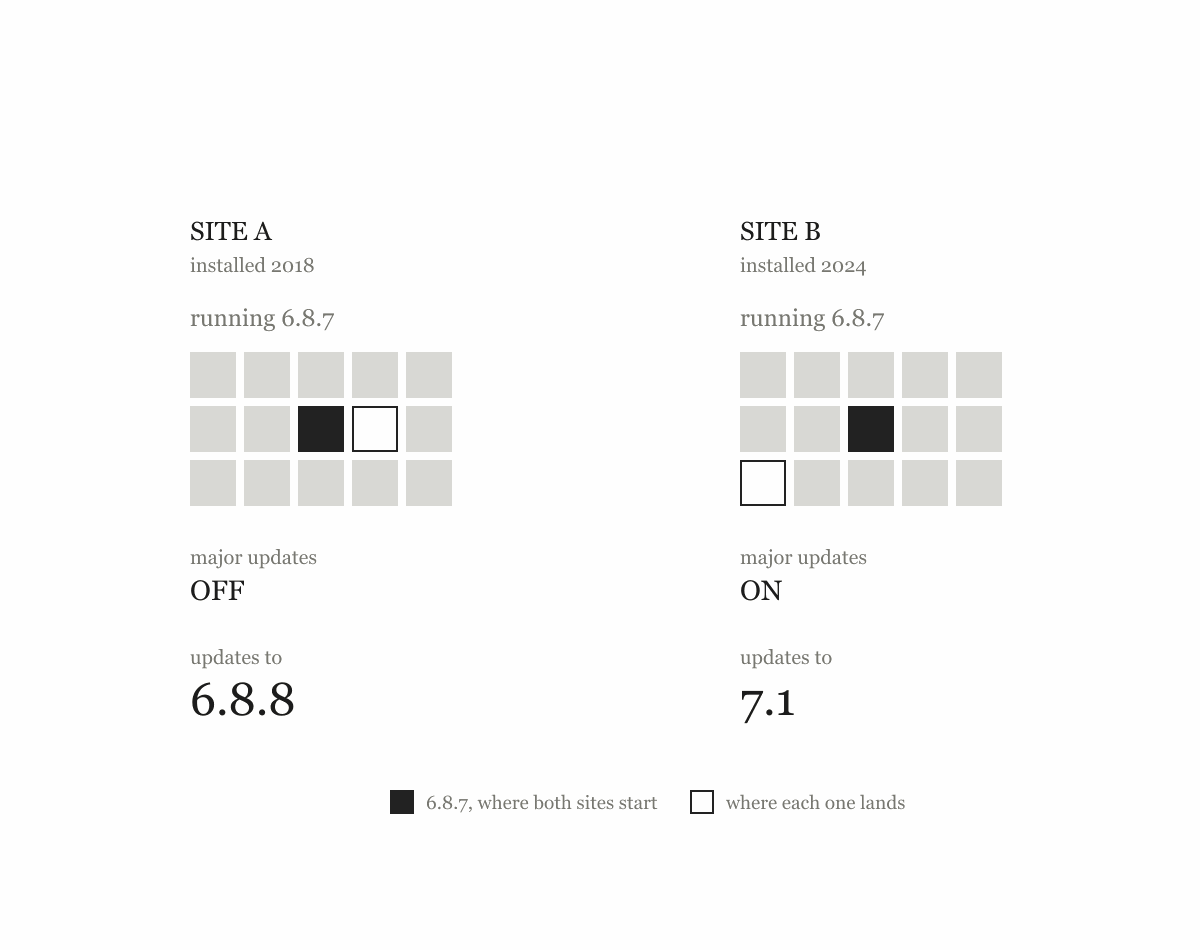
Two sites on the same WordPress version can take different update paths: a security patch on the same branch or a major upgrade. A stored option, shaped by installation and upgrade history, helps decide which.
If you don't visit the bad neighbourhoods, the bad neighbourhoods will visit you.
Maintenance
Updates, patching, dependency management, and the unglamorous upkeep that decides whether a system is still safe to run and fit for human use.